 geppetto
A native home for your AI coding agents.
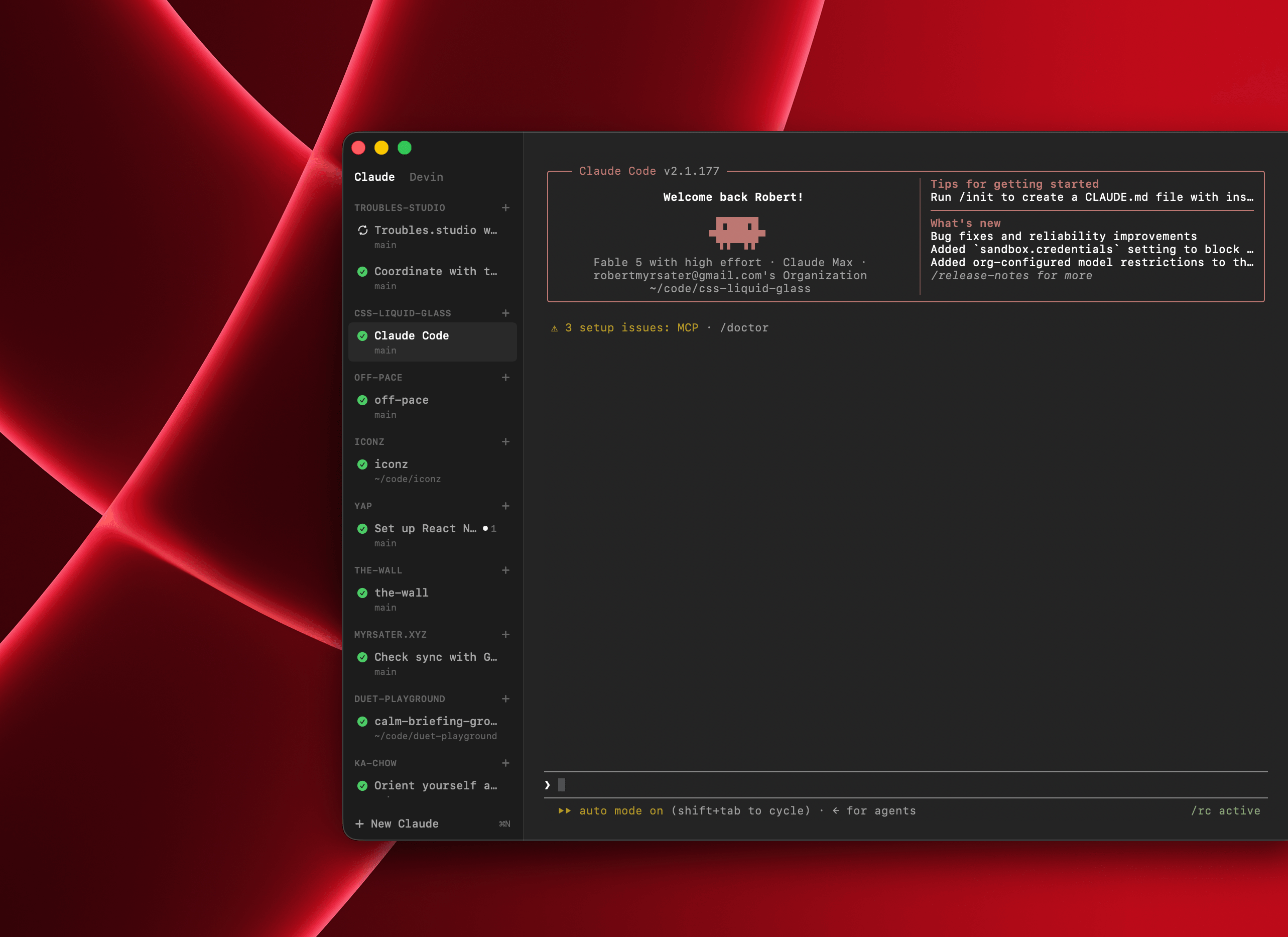
geppetto gives Claude Code a macOS home of its own — the real CLI in an embedded terminal, one tab per agent. Run several in parallel, each in its own project, from one sidebar — and drive them from your phone when you step away.
macOS 14+ · Apple Silicon · free
What it does
Parallel sessions
Run many agents at once, one per tab, each with its own working directory. Switch with ⌘1–9.
The real CLI
Every session is the real Claude CLI in an embedded terminal — your slash commands, your MCP servers, your config. Nothing reimplemented.
Control from your phone
Attach to any session from the geppetto companion app over your private Tailscale network — a live terminal mirror, file uploads, and a QR to pair. Get a push when an agent needs you.
Attention alerts
A native notification when an agent is waiting on a permission prompt or has finished its turn. Click it to jump to that session.
Isolated worktrees
Open a second agent on the same project in its own git worktree so two agents never clobber each other's work.
Auto-updates
Developer-ID signed, notarized, and updated in place via Sparkle. Always on the latest build.
Why geppetto
The raw agent CLI
Powerful, but it's one window, one agent. No sidebar of parallel sessions, no alert when one is waiting on you, no way to check in from your phone.
A terminal multiplexer
tmux/iTerm panes give you parallelism, but no per-session projects or worktrees, no alert when an agent is waiting on you, and nothing to open from your phone.
Web-based agent UIs
They route your code and credentials through a remote server. geppetto runs locally against your real Claude Code auth and filesystem — nothing leaves your Mac (the phone attaches over your own tailnet, never the public internet).
FAQ
What agents does it support?+
Claude Code. Each session runs the real Claude CLI in an embedded terminal.
What do I need?+
An Apple Silicon Mac on macOS 14 (Sonoma) or later, and the Claude Code CLI, signed in as usual (~/.claude/) — no separate login.
Can I use it from my phone?+
Yes. The companion geppetto app attaches to your terminal sessions over your private Tailscale network (never the public internet) — a live terminal mirror with file uploads and localhost preview. Scan a QR in Settings ▸ Remote to pair, and get a push when an agent needs you.
Is it safe?+
geppetto is Developer ID signed and notarized by Apple, and runs entirely on your machine against your own agent credentials.
How do updates work?+
geppetto checks for updates via Sparkle and installs them in place — signed and verified. You can also trigger a check from the geppetto menu.
Made by
I'm Robert, a product & brand designer in Brooklyn. geppetto is a tool I built to run my own coding agents — if it's useful to you, a coffee is always appreciated.